Author Archives: Lucas D

Technicolor CineStyle and Your Canon DSLR

I’m going to assume here that most of you reading this already know what Technicolor is, whether you know it as the all-encompassing digital media company, or just the people who gave Looney Tunes color back in the 30’s.  Well, Technicolor has now released a little software update for your Canon DSLR that allows you to take full advantage of your camera’s chipset.  Essentially it optimizes the dynamic range that your camera can take in by pushing the capabilities of the chip.  This is very important for those filmmakers concerned about getting the most flexibility out of their cameras.  The way it works is it records video (and still images if you so desire) to a color log space, as opposed to Canon’s standard H.264 Rec709 colorspace.  What this does is gives you footage that looks, in my opinion, really washed out and bland in camera, however in post, gives you an enormous amount of control in programs such as Apple Color.  Technicolor even provides you with LUT’s for various programs, including Color, so you have a base to work your own adjustments off of.  I’ve only been playing around with this on my 7D for a couple of days now, but from what I can see, I really like how it is looking.  It gives the footage a lot more depth, and the ability to colorgrade footage is enhanced greatly.  Here’s a little side-by-side preview of raw CineStyle footage versus colorgraded footage.

http://vimeo.com/26575501

For those who want to see some more footage using CineStyle, I did a short video to test some different settings, that can be viewed here.  If you’d like to read more about CineStyle, Technicolor has a page which explains it in detail as well as includes the download link, and that can be found here.
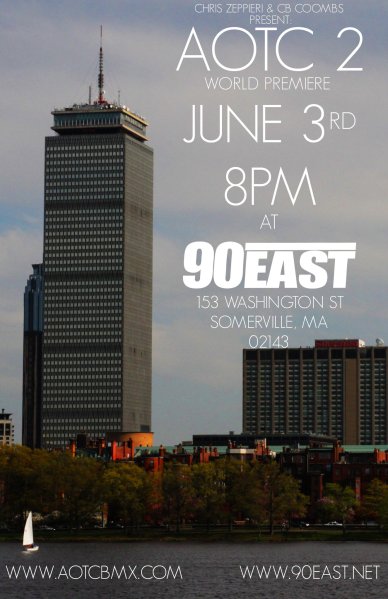
AOTC 2 Premiere

Come check it out, I’ve got some clips and it’s gonna be a pretty tight video

10 Free Alternatives to Photoshop for Mac & PC

While Photoshop is one of the the industry standards for photo editing, it can also be quite costly.  With Photoshop CS5 running you about $700 (and CS5 Extended costing as much as $1000), it can be a difficult purchase to have to make.  Of course, if you are a student or educator of some sort, Adobe will cut you some serious deals, with Photoshop CS5 Extended only costing $200.  Even if you’re not qualified for that discount but you know someone who is, have them buy it for you with their discount.  However if $200 is still too steep a price for you, one of my favorite tech websites did a little write up on some free alternatives, for both Mac & PC.  Unplgged is a great site for all things tech, and while there is generally more mac related content, you can count on some really interesting articles regarding photography/cameras.  Check out the 10 Free Alternatives Here

AOTC 5×5

A couple of the AOTC guys have come up with a cool new little video project.  Basically, they consist of five 5 second clips from either our iphones, or maybe some leftover footage from one of our DLSR’s. Combine those clips with a 5 second intro, and you’ve got the 5×5. CB Coombs came up with the concept and films a lot of the random iPhone clips. Chris Zeppieri puts most of them together, and Adam Spitalny did the intro art, which in my opinion is pretty sweet. I think it’s a cool idea, since not all the clips are riding based. It’s really a short look into the “behind the scenes” of AOTC. Check them all out here.

Camera Setup of Choice

Defgrip comes through yet again with a dope article on 10 photographers’ camera setups of choice and why. Check it out, it’s pretty sweet and gives good insight into gear, and has a few interesting ideas as well.

Vimeo iPhone App!

Just as many people were thrilled by Vimeo’s decision to allow some videos to be viewed on a mobile device, I’m sure that just as many people, if not more, will be thrilled by their new iPhone App.  From what I can tell, it allows you to view videos, statistics, comments, and many other of Vimeo’s features, however the crowning achievement seems to be quite a big deal.  It allows you to capture video and edit multiple clips along with audio and titles (and obviously upload the finished product to Vimeo) all from within the app.  Many people may find this much easier than editing a video in the iMovie App, then switching to upload it via the Vimeo App.  How the video editing interface compares to iMovie, though, well, you’ll just have to try it yourself. I know most Vimeo users with iPhones are going to be psyched on this, I know I am. As soon as my phone finishes updating I’ll be downloading this App for a test drive…  Check out a short video of the app in use.


HD Video Compression Settings

If you’ve ever looked at the “Tutorials” section of this site, you may have noticed that there is a section for “Video Compression Settings“.  While this is a very helpful section, (I know I based my VX2000 compression and export settings on Scott’s write-up), those with HD cameras may be feeling a little left out.  As there are only SD compression settings, I figured that I’d do a write-up on my workflow for HD Video.  Check it out after the jump.

Continue reading

New Contributions

Hey, I’m Lucas D’Angelo, and I’m going to be writing up some posts for Pushitstop.  I do a lot of video work, mostly as a filmer/editor for AOTC among other things.  A little bit ago, my good friend Chris Saunders posted a piece on here about the Personal Photography project, so I decided to write up a short piece on the Personal Video Project, which I posted to the AOTC site.  However, it seems like it would be more at home here.  To keep from reposting an entire article on a different site, you can read the original post here.  Enjoy!